

Introduction
Artificial Intelligence (AI) is no longer a technology of the future—it has become an essential part of our daily lives. Whether you’re a student trying to complete assignments faster, a freelancer managing multiple clients, or a business professional looking to improve productivity, AI tools can save time, increase efficiency, and help you produce better results.
In 2026, AI tools are smarter, faster, and more accessible than ever before. From writing articles and creating presentations to designing graphics, analyzing data, coding software, and conducting research, AI has transformed the way people work and learn.
Students are using AI to understand difficult topics, summarize lengthy notes, improve grammar, and prepare for exams. Professionals rely on AI to automate repetitive tasks, write emails, generate reports, organize projects, and make better business decisions.
However, with hundreds of AI applications available online, choosing the right one can be overwhelming. Some tools focus on writing, while others specialize in design, coding, research, or productivity. Understanding each tool’s strengths helps you select the one that best matches your goals.
In this comprehensive guide, you’ll discover the Top 10 AI Tools for Students and Professionals in 2026, including their key features, benefits, pricing, and ideal use cases. Whether you’re looking for free AI tools or premium solutions, this article will help you make an informed choice.
Table of Contents
- Introduction
- Why AI Tools Matter in 2026
- Top 10 AI Tools
- ChatGPT
- Google Gemini
- Microsoft Copilot
- Claude
- Canva AI
- Grammarly
- Notion AI
- Perplexity AI
- Midjourney
- GitHub Copilot
- How to Choose the Right AI Tool
- Free vs Paid AI Tools
- Benefits of AI Tools
- Frequently Asked Questions
- Final Thoughts
Why AI Tools Matter in 2026
Artificial Intelligence has evolved from being a luxury technology to becoming an everyday necessity. Today, students, teachers, freelancers, entrepreneurs, software developers, marketers, content creators, and business owners all use AI to work more efficiently and achieve better results.
One of the biggest advantages of AI is its ability to automate repetitive tasks. Instead of spending hours writing reports, organizing data, or searching for information, users can complete these tasks within minutes using AI-powered assistants.
For students, AI makes learning more interactive and personalized. It can explain complex concepts in simple language, summarize textbooks, generate quizzes, improve grammar, translate languages, and even help create presentations. This allows students to focus more on understanding concepts rather than spending excessive time on routine work.
Professionals also benefit significantly from AI. Marketing teams create content faster, software developers write cleaner code, designers generate creative ideas, customer support teams automate responses, and business managers analyze data more effectively.
Another major reason AI matters in 2026 is accessibility. Many powerful AI tools now offer free versions, making advanced technology available to everyone—not just large companies. Whether you have a small budget or are just getting started, there are AI solutions that fit your needs.
As AI continues to evolve, learning how to use these tools effectively is becoming an essential digital skill. Those who understand AI can improve productivity, save valuable time, enhance creativity, and stay competitive in education and the workplace.
In the next section, we’ll explore the Top 10 AI Tools for Students and Professionals in 2026, starting with one of the world’s most popular AI assistants.

1. ChatGPT – The Best All-in-One AI Assistant
ChatGPT has become one of the most widely used AI tools in the world. It helps students, professionals, writers, marketers, programmers, and business owners complete tasks more efficiently.Students use ChatGPT to understand difficult concepts, summarize notes, prepare for exams, solve practice questions, and improve writing skills. Professionals rely on it to draft emails, create reports, brainstorm ideas, write blog posts, and automate repetitive tasks.
Key Features
- Generates high-quality content
- Answers questions instantly
- Helps with coding and debugging
- Creates study notes and summaries
- Translates multiple languages
- Brainstorms creative ideas
- Supports document drafting
Best For
- Students
- Bloggers
- Freelancers
- Teachers
- Business professionals
- Developers
Free Version
Yes
Premium Plan
Available with additional features and higher usage limits.
2. Google Gemini – Best AI for Research and Google Workspace
Google Gemini is designed to work closely with Google’s ecosystem. It helps users search for information, summarize documents, write emails, and improve productivity within Google services.
Students can use Gemini to research assignments, organize study material, and generate ideas. Professionals benefit from its integration with Google Docs, Gmail, and other productivity tools.
Key Features
- Fast research assistance
- Email drafting
- Document summarization
- Brainstorming support
- Google Workspace integration
- Image understanding
Best For
- Researchers
- Students
- Office workers
- Teachers
Free Version
Yes
Premium Plan
Available for advanced capabilities.
3. Microsoft Copilot – Best AI for Office Productivity
Microsoft Copilot enhances productivity by integrating AI into Microsoft applications such as Word, Excel, PowerPoint, Outlook, and Teams.
It can create presentations, summarize meetings, analyze spreadsheets, draft professional emails, and generate reports in minutes.
Key Features
- Excel data analysis
- PowerPoint presentation creation
- Word document assistance
- Outlook email writing
- Meeting summaries
- Workflow automation
Best For
- Corporate professionals
- Office employees
- Managers
- Students using Microsoft Office
Free Version
Limited
Premium Plan
Available with Microsoft subscriptions.
4. Claude – Best AI for Long Documents
Claude is known for handling long-form content and detailed conversations. It performs well when summarizing lengthy documents, analyzing reports, and producing well-structured writing.
Students appreciate Claude for simplifying research papers, while professionals use it to review business documents and technical reports.
Key Features
- Long document analysis
- Research support
- Professional writing
- Summarization
- Logical responses
- Clean writing style
Best For
- Researchers
- Students
- Writers
- Business analysts
Free Version
Yes
Premium Plan
Available.
5. Canva AI – Best AI Tool for Graphic Design
Canva AI makes graphic design easier, even for beginners. Users can create social media posts, presentations, resumes, posters, business cards, flyers, and marketing materials with minimal effort.
Its AI-powered features include image generation, background removal, magic resize, text suggestions, and presentation creation.
For students, Canva AI is useful for school projects and presentations. Professionals use it for branding, social media marketing, and business designs.
Key Features
- AI image generation
- Magic Design
- Magic Resize
- Background remover
- AI presentation creator
- Social media templates
- Brand kit support
Best For
- Students
- Social media managers
- Designers
- Entrepreneurs
- Small businesses
Free Version
Yes
Premium Plan
Available with additional design features.
Quick Comparison Table
| Tool | Best For | Free Version |
| ChatGPT | Writing, Learning, Coding | Yes |
| Google Gemini | Research & Google Apps | Yes |
| Microsoft Copilot | Office Productivity | Limited |
| Claude | Long Documents | Yes |
| Canva AI | Graphic Design | Yes |
These five AI tools cover writing, research, office productivity, document analysis, and graphic design, making them excellent choices for students and professionals in 2026.
6. Grammarly – Best AI Tool for Writing and Grammar
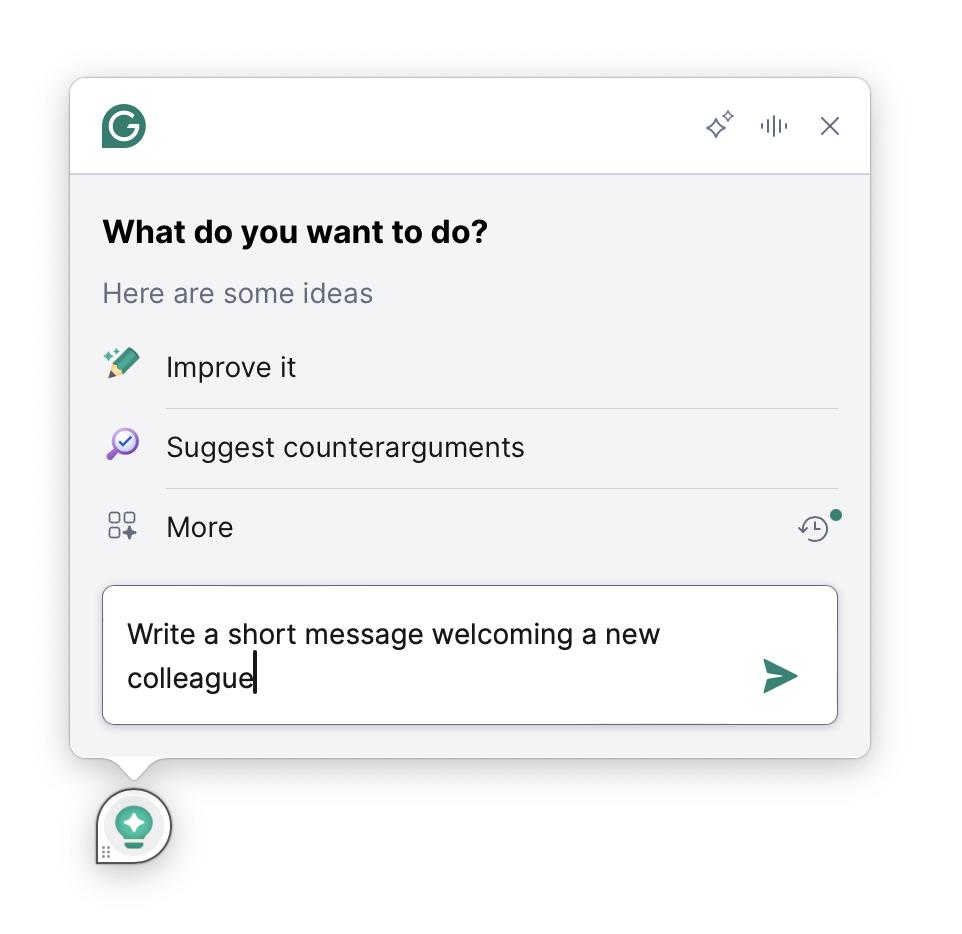
Grammarly is one of the most trusted AI-powered writing assistants available today. It helps users write clear, professional, and error-free content by checking grammar, spelling, punctuation, sentence structure, and tone.
Students use Grammarly to improve essays, assignments, and research papers, while professionals rely on it for business emails, reports, proposals, and presentations. The AI also suggests better vocabulary and improves readability, making your writing more engaging.
Key Features
- Grammar and spelling correction
- Tone and clarity suggestions
- Vocabulary enhancement
- Plagiarism checker (Premium)
- Writing style improvements
- Works with browsers, Microsoft Office, and mobile devices
Best For
- Students
- Bloggers
- Content writers
- Business professionals
- Researchers
Free Version
Yes
Premium Plan
Available with advanced writing and plagiarism features.
7. Notion AI – Best AI for Notes and Project Management
Notion AI combines note-taking, task management, and AI-powered writing in one platform. It helps users organize information, summarize meeting notes, create project plans, and generate content quickly.
Students can use Notion AI to keep lecture notes organized, create study plans, and summarize long chapters. Professionals benefit from project tracking, team collaboration, and document creation.
Key Features
- AI writing assistant
- Smart note summaries
- Task management
- Project planning
- Team collaboration
- Meeting notes automation
Best For
- Students
- Project managers
- Teams
- Entrepreneurs
Free Version
Yes
Premium Plan
Available.
8. Perplexity AI – Best AI Search Assistant
Perplexity AI is an AI-powered search and research tool that provides direct answers along with references. Instead of showing only a list of web pages, it summarizes information into easy-to-read responses, helping users save time.
Students can use Perplexity AI to research assignments, while professionals can quickly gather reliable information for reports, presentations, and decision-making.
Key Features
- AI-powered search
- Source citations
- Research summaries
- Follow-up questions
- Fast information retrieval
- User-friendly interface
Best For
- Researchers
- Students
- Writers
- Business professionals
Free Version
Yes
Premium Plan
Available.
9. Midjourney – Best AI Tool for Image Generation
Midjourney is a powerful AI image generator that transforms text prompts into stunning digital artwork. Designers, marketers, and content creators use it to create unique illustrations, concept art, product visuals, and social media graphics.
Students studying graphic design or digital media can use Midjourney to explore creative ideas and build impressive portfolios.
Key Features
- High-quality AI-generated images
- Artistic styles
- Creative concept generation
- Marketing visuals
- Illustration creation
- Fast rendering
Best For
- Graphic designers
- Artists
- Marketing professionals
- Content creators
Free Version
Limited or promotional access (availability may change)
Premium Plan
Available.
10. GitHub Copilot – Best AI Coding Assistant
GitHub Copilot is an AI-powered coding assistant that helps developers write code faster and more efficiently. It suggests code snippets, completes functions, explains code, and helps identify potential errors.
Students learning programming can use GitHub Copilot to understand coding concepts and speed up software development projects. Professional developers use it to increase productivity and reduce repetitive coding tasks.
Key Features
- AI code completion
- Multiple programming language support
- Code suggestions
- Function generation
- Bug detection assistance
- Developer productivity tools
Best For
- Programming students
- Software developers
- Web developers
- Data scientists
Free Version
Available for eligible users and certain plans.
Premium Plan
Available with additional features.
Comparison Table of All 10 AI Tools
| AI Tool | Best For | Free Version |
| ChatGPT | Writing, Learning, Coding | Yes |
| Google Gemini | Research | Yes |
| Microsoft Copilot | Office Productivity | Limited |
| Claude | Long Documents | Yes |
| Canva AI | Graphic Design | Yes |
| Grammarly | Grammar & Writing | Yes |
| Notion AI | Notes & Productivity | Yes |
| Perplexity AI | AI Search & Research | Yes |
| Midjourney | AI Image Generation | Limited |
| GitHub Copilot | Coding | Yes (eligible users) |
Which AI Tool Should You Choose?
The best AI tool depends on your needs.
- If you need help with writing and brainstorming, ChatGPT is a strong choice.
- If your work revolves around Google Workspace, Google Gemini can improve your workflow.
- If you spend most of your day using Microsoft Office, Microsoft Copilot offers excellent productivity features.
- If you’re working with long documents and research papers, Claude is worth considering.
- For graphic design and presentations, Canva AI is beginner-friendly and powerful.
- Grammarly is ideal for improving writing quality.
- Notion AI helps organize projects and notes.
- Perplexity AI is useful for research with source-backed answers.
- Midjourney excels at generating creative images.
- GitHub Copilot is a valuable assistant for developers and programming students.
Choosing the right AI tool—or combining several of them—can help you work smarter, learn faster, and stay productive throughout 2026.
Conclusion
Artificial Intelligence is transforming the way we learn, work, and solve everyday problems. In 2026, AI tools are no longer just a convenience—they have become valuable companions for students, professionals, freelancers, educators, and business owners.
Whether you need help with writing, research, graphic design, coding, presentations, or project management, there is an AI tool designed to make your tasks easier and more efficient. Tools like ChatGPT, Google Gemini, Microsoft Copilot, Claude, Canva AI, Grammarly, Notion AI, Perplexity AI, Midjourney, and GitHub Copilot each offer unique strengths, allowing users to choose the right solution based on their goals.
The key to getting the most value from AI is to use it responsibly. Instead of relying on AI to do all the work, use it to support your creativity, improve your productivity, and enhance your learning. Always review AI-generated content, verify important information, and add your own knowledge and critical thinking before submitting academic work or publishing professional content.
As AI technology continues to evolve, those who learn how to use these tools effectively will have a significant advantage in education, the workplace, and business. Start by exploring the free versions of these AI tools, identify the ones that best suit your needs, and gradually incorporate them into your daily routine.
Which AI tool do you use the most? Share your favorite in the comments below, and let us know how it has improved your studies or professional work. If you found this guide helpful, don’t forget to share it with friends and colleagues who want to boost their productivity with AI in 2026.