
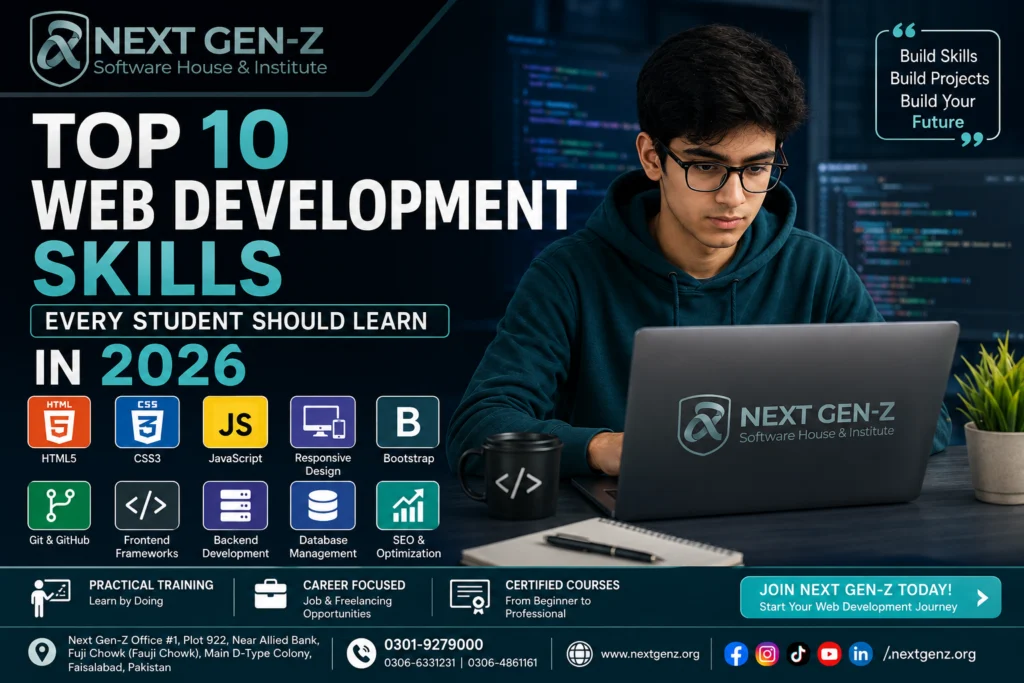
Top 10 Web Development Skills Every Student Should Learn in 2026
Introduction
Technology is evolving faster than ever, and web development remains one of the most valuable skills students can learn in 2026. Almost every business, startup, educational institute, and online service depends on websites and web applications. As a result, skilled web developers are in high demand across the world.
Whether your goal is to become a freelancer, secure a high-paying job, launch your own startup, or create personal projects, learning web development can open many exciting opportunities. The best part is that you don’t need years of experience to get started. With the right learning path and consistent practice, anyone can build professional websites.
In this guide, you’ll discover the top 10 web development skills every student should learn in 2026. These skills will help you build modern websites, improve your portfolio, and prepare for real-world projects.
Why Students Should Learn Web Development in 2026
Web development is more than just writing code. It teaches logical thinking, creativity, and problem-solving while giving students practical skills that employers value.
Some major benefits include:
- High demand in the global job market
- Excellent freelancing opportunities
- Remote work flexibility
- Strong career growth
- Opportunity to build your own business
- Better understanding of modern technology
- Continuous learning with new technologies
Students who begin learning today can build experience while studying and become job-ready before graduation.
Top 10 Web Development Skills Every Student Should Learn
1. HTML – The Foundation of Every Website
HyperText Markup Language (HTML) is the backbone of every website. It provides the structure that browsers use to display content.
With HTML, you can create:
- Web pages
- Headings
- Paragraphs
- Images
- Videos
- Tables
- Forms
- Navigation menus
Without HTML, websites simply cannot exist.
Why HTML Matters
Learning HTML helps students understand how websites are organized. It is easy to learn and serves as the first step toward becoming a professional web developer.
Practical Applications
- Company websites
- Business portfolios
- Blogs
- Educational websites
- Landing pages
- E-commerce stores
2. CSS – Make Websites Beautiful
Once you’ve built the structure using HTML, CSS (Cascading Style Sheets) allows you to design and style your website.
CSS controls:
- Colors
- Fonts
- Layouts
- Animations
- Buttons
- Spacing
- Responsive design
Modern users expect visually attractive websites, making CSS one of the most important skills in web development.
Why CSS Is Important
A well-designed website creates a positive first impression and improves user experience. Businesses often judge developers by the quality of their website designs.
- CSS3
- Flexbox
- CSS Grid
- Bootstrap
- Tailwind CSS
3. JavaScript – Add Life to Your Website
HTML creates the structure, CSS designs it, and JavaScript makes everything interactive.
JavaScript allows websites to:
- Show animations
- Validate forms
- Create sliders
- Display notifications
- Load data without refreshing pages
- Build interactive user experiences
Almost every modern website uses JavaScript.
Why Students Should Learn JavaScript
JavaScript is one of the most popular programming languages worldwide. Learning it enables students to build dynamic websites and prepares them for advanced frameworks like React, Vue, and Angular.
Examples of JavaScript Features
- Image sliders
- Dark mode
- Live search
- Online calculators
- Shopping carts
- Interactive dashboards
4. Responsive Web Design
Today, people browse websites on smartphones, tablets, laptops, and desktop computers. A website that only looks good on a desktop can frustrate mobile users and lead to higher bounce rates. That’s why responsive web design is one of the most valuable skills every web developer should learn.
Responsive design ensures that a website automatically adjusts its layout, images, and content to fit different screen sizes. Instead of creating separate websites for mobile and desktop users, developers build one flexible website that works well on all devices.
Why Responsive Design Matters
- Improves user experience
- Supports mobile-first indexing in search engines
- Increases visitor engagement
- Reduces bounce rate
- Makes websites look professional on every device
Tools for Responsive Design
- CSS Media Queries
- Flexbox
- CSS Grid
- Bootstrap
- Tailwind CSS
Students who master responsive design can create websites that meet modern industry standards.
5. Git and GitHub
Writing code is only part of web development. Professional developers also need a reliable way to track changes, collaborate with teams, and safely manage projects. This is where Git and GitHub become essential.
Git is a version control system that records changes made to your code. GitHub is an online platform where developers store, share, and collaborate on projects.
Benefits of Learning Git and GitHub
- Track every code change
- Restore previous versions if needed
- Collaborate with other developers
- Build a professional portfolio
- Showcase projects to employers and clients
Common Git Commands
- git init
- git add
- git commit
- git push
- git pull
- git clone
Learning Git early makes teamwork much easier and prepares students for professional development environments.
6. Frontend Frameworks
As websites become more interactive, developers need tools that make development faster and more organized. Frontend frameworks help achieve this by providing reusable components and efficient workflows.
A frontend framework simplifies coding, improves performance, and reduces development time.
Popular Frontend Frameworks in 2026
- React
- Vue.js
- Angular
- Next.js
Among these, React continues to be one of the most widely used frameworks because of its flexibility and strong community support.
Why Students Should Learn Frontend Frameworks
- Faster development
- Better code organization
- Easier maintenance
- High demand in the job market
- Excellent career opportunities
Learning a frontend framework after HTML, CSS, and JavaScript is a logical next step for aspiring developers.
7. Backend Development Basics
The frontend is what users see, but the backend is where the real processing happens. It manages databases, user authentication, business logic, and server-side operations.
Without backend development, websites cannot perform important tasks like logging users in, processing payments, or storing information.
Popular Backend Technologies
- PHP
- Node.js
- Python
- Laravel
- Express.js
Databases Every Student Should Know
- MySQL
- PostgreSQL
- MongoDB
Why Backend Skills Matter
Learning backend development allows students to build complete web applications instead of simple static websites. It also opens opportunities in full-stack development, one of the most in-demand careers in the technology industry.
8. Database Management
Every dynamic website needs a place to store information. Whether it’s customer details, product listings, blog posts, or login credentials, all this data is managed through databases. Learning database management is an essential step for students who want to become professional web developers.
A database helps websites organize, retrieve, update, and secure information efficiently. Without a database, websites cannot provide personalized experiences or manage large amounts of data.
Popular Databases in 2026
- MySQL
- PostgreSQL
- MongoDB
- SQLite
Among these, MySQL remains one of the most popular choices for beginners because it is easy to learn and widely used with PHP and WordPress.
Why Database Skills Are Important
Learning database management enables students to:
- Store user information securely
- Manage products and orders in eCommerce websites
- Create login and registration systems
- Build blogs and content management systems
- Develop dynamic web applications
Understanding databases also prepares students for full-stack development and enterprise-level projects.
9. SEO Basics for Web Developers
Building a website is only the first step. If people cannot find it on search engines like Google, it won’t receive much traffic. That’s why every web developer should understand the basics of Search Engine Optimization (SEO).
SEO helps websites rank higher in search results, making them easier for users to discover.
Important SEO Skills
- Writing SEO-friendly page titles
- Creating clean and readable URLs
- Optimizing website speed
- Adding image alt text
- Using heading tags correctly (H1, H2, H3)
- Improving mobile responsiveness
- Creating user-friendly navigation
Why Developers Should Learn SEO
When developers understand SEO, they can build websites that are both visually appealing and search-engine friendly. This adds significant value for clients and employers.
10. Problem-Solving and Debugging
Even experienced developers encounter coding errors. The difference is that skilled developers know how to identify and fix them efficiently.
Debugging is the process of finding and correcting errors in code. Strong problem-solving skills help developers create stable, secure, and high-performing websites.
Common Debugging Tools
- Chrome Developer Tools
- Visual Studio Code Debugger
- Browser Console
- Network Inspector
- Error Logs
How Students Can Improve
- Practice coding regularly
- Build real-world projects
- Read documentation
- Analyze error messages carefully
- Learn from coding challenges
The more problems students solve, the more confident they become in web development.
Career Opportunities After Learning Web Development
Web development is one of the fastest-growing career fields. After mastering these skills, students can explore many exciting career paths.
Some popular career options include:
- Frontend Developer
- Backend Developer
- Full Stack Developer
- WordPress Developer
- Shopify Developer
- UI Developer
- Web Designer
- Freelance Web Developer
- Software Engineer
- Technical Consultant
Many professionals also work remotely for international clients or start their own software businesses.
Why Learn Web Development with Next Gen Z?
At Next Gen Z Software House & Institute, students gain practical knowledge through hands-on training and real-world projects. Instead of focusing only on theory, the institute emphasizes industry-relevant skills that prepare learners for freelancing, internships, and professional careers.
Students benefit from:
- Experienced instructors
- Practical assignments
- Live projects
- Career-focused learning
- Modern web development technologies
- Guidance for freelancing and job opportunities
Whether you are a beginner or looking to upgrade your technical skills, learning web development can be a valuable investment in your future.
4. Responsive Web Design
Today, people browse websites on smartphones, tablets, laptops, and desktop computers. A website that only looks good on a desktop can frustrate mobile users and lead to higher bounce rates. That’s why responsive web design is one of the most valuable skills every web developer should learn.
Responsive design ensures that a website automatically adjusts its layout, images, and content to fit different screen sizes. Instead of creating separate websites for mobile and desktop users, developers build one flexible website that works well on all devices.
Why Responsive Design Matters
- Improves user experience
- Supports mobile-first indexing in search engines
- Increases visitor engagement
- Reduces bounce rate
- Makes websites look professional on every device
Tools for Responsive Design
- CSS Media Queries
- Flexbox
- CSS Grid
- Bootstrap
- Tailwind CSS
Students who master responsive design can create websites that meet modern industry standards.
5. Git and GitHub
Writing code is only part of web development. Professional developers also need a reliable way to track changes, collaborate with teams, and safely manage projects. This is where Git and GitHub become essential.
Git is a version control system that records changes made to your code. GitHub is an online platform where developers store, share, and collaborate on projects.
Benefits of Learning Git and GitHub
- Track every code change
- Restore previous versions if needed
- Collaborate with other developers
- Build a professional portfolio
- Showcase projects to employers and clients
Common Git Commands
git initgit addgit commitgit pushgit pullgit clone
Learning Git early makes teamwork much easier and prepares students for professional development environments.
6. Frontend Frameworks
As websites become more interactive, developers need tools that make development faster and more organized. Frontend frameworks help achieve this by providing reusable components and efficient workflows.
A frontend framework simplifies coding, improves performance, and reduces development time.
Popular Frontend Frameworks in 2026
- React
- Vue.js
- Angular
- Next.js
Among these, React continues to be one of the most widely used frameworks because of its flexibility and strong community support.
Why Students Should Learn Frontend Frameworks
- Faster development
- Better code organization
- Easier maintenance
- High demand in the job market
- Excellent career opportunities
Learning a frontend framework after HTML, CSS, and JavaScript is a logical next step for aspiring developers.
7. Backend Development Basics
The frontend is what users see, but the backend is where the real processing happens. It manages databases, user authentication, business logic, and server-side operations.
Without backend development, websites cannot perform important tasks like logging users in, processing payments, or storing information.
Popular Backend Technologies
- PHP
- Node.js
- Python
- Laravel
- Express.js
Databases Every Student Should Know
- MySQL
- PostgreSQL
- MongoDB
Why Backend Skills Matter
Learning backend development allows students to build complete web applications instead of simple static websites. It also opens opportunities in full-stack development, one of the most in-demand careers in the technology industry.
8. Database Management
Every dynamic website needs a place to store information. Whether it’s customer details, product listings, blog posts, or login credentials, all this data is managed through databases. Learning database management is an essential step for students who want to become professional web developers.
A database helps websites organize, retrieve, update, and secure information efficiently. Without a database, websites cannot provide personalized experiences or manage large amounts of data.
Popular Databases in 2026
- MySQL
- PostgreSQL
- MongoDB
- SQLite
Among these, MySQL remains one of the most popular choices for beginners because it is easy to learn and widely used with PHP and WordPress.
Why Database Skills Are Important
Learning database management enables students to:
- Store user information securely
- Manage products and orders in eCommerce websites
- Create login and registration systems
- Build blogs and content management systems
- Develop dynamic web applications
Understanding databases also prepares students for full-stack development and enterprise-level projects.
9. SEO Basics for Web Developers
Building a website is only the first step. If people cannot find it on search engines like Google, it won’t receive much traffic. That’s why every web developer should understand the basics of Search Engine Optimization (SEO).
SEO helps websites rank higher in search results, making them easier for users to discover.
Important SEO Skills
- Writing SEO-friendly page titles
- Creating clean and readable URLs
- Optimizing website speed
- Adding image alt text
- Using heading tags correctly (H1, H2, H3)
- Improving mobile responsiveness
- Creating user-friendly navigation
Why Developers Should Learn SEO
When developers understand SEO, they can build websites that are both visually appealing and search-engine friendly. This adds significant value for clients and employers.
10. Problem-Solving and Debugging
Even experienced developers encounter coding errors. The difference is that skilled developers know how to identify and fix them efficiently.
Debugging is the process of finding and correcting errors in code. Strong problem-solving skills help developers create stable, secure, and high-performing websites.
Common Debugging Tools
- Chrome Developer Tools
- Visual Studio Code Debugger
- Browser Console
- Network Inspector
- Error Logs
How Students Can Improve
- Practice coding regularly
- Build real-world projects
- Read documentation
- Analyze error messages carefully
- Learn from coding challenges
The more problems students solve, the more confident they become in web development.
Career Opportunities After Learning Web Development
Web development is one of the fastest-growing career fields. After mastering these skills, students can explore many exciting career paths.
Some popular career options include:
- Frontend Developer
- Backend Developer
- Full Stack Developer
- WordPress Developer
- Shopify Developer
- UI Developer
- Web Designer
- Freelance Web Developer
- Software Engineer
- Technical Consultant
Many professionals also work remotely for international clients or start their own software businesses.
Why Learn Web Development with Next Gen Z?
At Next Gen Z Software House & Institute, students gain practical knowledge through hands-on training and real-world projects. Instead of focusing only on theory, the institute emphasizes industry-relevant skills that prepare learners for freelancing, internships, and professional careers.
Students benefit from:
- Experienced instructors
- Practical assignments
- Live projects
- Career-focused learning
- Modern web development technologies
- Guidance for freelancing and job opportunities
Whether you are a beginner or looking to upgrade your technical skills, learning web development can be a valuable investment in your future.
Conclusion
Web development is one of the most valuable skills students can invest in during 2026. As businesses continue to expand their online presence, the demand for skilled web developers keeps growing. Learning the right technologies today can open doors to freelancing, remote jobs, internships, and successful careers in the IT industry.
The ten skills discussed in this guide—from HTML and CSS to JavaScript, responsive design, Git, backend development, databases, SEO, and debugging—provide a solid foundation for anyone who wants to become a professional web developer.
Success in web development doesn’t happen overnight. It comes from consistent practice, building real projects, and staying updated with new technologies. The earlier students begin learning; the more opportunities they create for themselves in the future.
If you’re ready to build websites, develop practical skills, and prepare for a successful career in technology, Next Gen Z Software House & Institute offers industry-focused training designed to help beginners become confident web developers.
Frequently Asked Questions (FAQs)
1. What is the most important web development skill for beginners?
HTML, CSS, and JavaScript are the three essential skills every beginner should learn before moving to advanced technologies.
2. Is web development a good career in 2026?
Yes. Web development remains one of the fastest-growing technology careers with opportunities in freelancing, remote work, startups, and software companies.
3. Can I learn web development without a computer science degree?
Absolutely. Many successful web developers are self-taught or have completed professional training programs instead of traditional degrees.
4. Which programming language should I learn first?
JavaScript is the most recommended programming language after learning HTML and CSS because it powers interactive websites and modern web applications.
5. How long does it take to become a web developer?
With regular practice, beginners can learn the fundamentals within a few months. Building professional-level skills usually requires continuous learning and hands-on project experience.
6. Is freelancing possible after learning web development?
Yes. Many students start freelancing by creating business websites, landing pages, WordPress websites, and eCommerce stores for clients around the world.