
Video Editing: Skills, Tools, and Career Opportunities
Video editing is one of the most useful digital skills in today’s technology-driven world. From YouTube videos and social media content to advertisements and educational projects, edited videos are everywhere. With the growing demand for visual content, learning video editing can be a valuable skill for students, creators, and beginners.
What Is Video Editing?
Video editing is the process of arranging, improving, and combining video clips to create a complete and engaging video. It can include trimming unwanted parts, adding transitions, text, music, sound effects, images, and other visual elements.
A good video editor turns raw footage into a clear and interesting story that is easy for viewers to understand.
Why Is Video Editing Important?
Video content has become an important part of communication and digital marketing. Businesses, educational institutes, influencers, and content creators use videos to connect with their audiences.
Some major benefits of video editing include:
- Makes videos more attractive and professional
- Helps communicate ideas clearly
- Improves storytelling
- Creates engaging social media content
- Supports digital marketing campaigns
- Helps businesses promote their products and services
- Makes educational content easier to understand
Essential Video Editing Skills
To become a good video editor, you need more than just editing software. Developing the right skills can help you create better and more professional content.
1. Basic Editing
A beginner should first learn how to cut, trim, split, and arrange video clips. These are the basic techniques used in almost every editing project.
2. Transitions
Transitions help connect different clips smoothly. Editors should use transitions carefully so the video remains natural and easy to watch.
3. Text and Titles
Text can be used for titles, captions, subtitles, and important information. Clear text can make videos easier to understand.
4. Audio Editing
Good audio is an important part of a successful video. Editors may adjust volume, remove unwanted background noise, and add suitable music or sound effects.
5. Color Correction
Color correction helps improve the appearance of video footage. It can make colors look more balanced and consistent throughout a project.
6. Storytelling
A video should have a clear purpose and structure. Understanding storytelling helps editors arrange clips in a way that keeps viewers interested.
Popular Video Editing Software
There are many video editing programs available for beginners and professionals. Some commonly used options include:
- Adobe Premiere Pro
- DaVinci Resolve
- CapCut
- Filmora
- Adobe After Effects
The best software depends on the type of project, experience level, and editing requirements.
Video Editing for Social Media
Social media has increased the demand for short and engaging videos. Platforms such as YouTube, Instagram, Facebook, and TikTok are widely used for video content.
Video editors can create:
- Short-form videos
- YouTube videos
- Promotional videos
- Educational videos
- Product videos
- Social media advertisements
- Event videos
Understanding different video formats and audience preferences can help editors create more effective content.
Steps to Start Learning Video Editing
If you are a beginner, you can follow a simple learning process:
Step 1: Learn the Basics
Start by understanding the video editing interface, timeline, clips, layers, and basic tools.
Step 2: Practice Simple Projects
Create small projects such as short videos, slideshows, or social media clips.
Step 3: Learn Audio and Text Editing
Practice adding background music, sound effects, captions, and titles.
Step 4: Explore Advanced Features
Once you understand the basics, learn color correction, keyframes, effects, and more advanced editing techniques.
Step 5: Build a Portfolio
Save your best projects and create a portfolio. A strong portfolio can demonstrate your skills to potential clients or employers.
Career Opportunities in Video Editing
Video editing can open doors to different creative and digital career paths. Some opportunities include:
- Video Editor
- YouTube Video Editor
- Social Media Video Editor
- Content Creator
- Motion Graphics Designer
- Advertising Video Editor
- Film and Media Editor
- Freelance Video Editor
The field can also provide opportunities to work with businesses, agencies, content creators, and online clients.
Tips for Becoming a Better Video Editor
Here are some useful tips for beginners:
- Practice regularly
- Keep your editing simple and organized
- Learn keyboard shortcuts
- Study professional videos
- Pay attention to audio quality
- Avoid using unnecessary effects
- Keep learning new techniques
- Build a strong portfolio
- Take feedback and improve your work
Why Learn Video Editing at Next Gen Z?
Learning video editing through practical training can help students understand both basic and advanced editing concepts. At Next Gen Z, learners can develop digital skills that can be useful for creative projects, content creation, freelancing, and professional work.
Practical learning allows students to experiment with different editing techniques and gradually improve their creativity and technical skills.
Benefits of Learning Video Editing
Learning video editing can provide students with valuable creative and technical skills. It helps learners understand how professional videos are planned, edited, and presented to an audience.
Some important benefits include:
- Develops creativity and storytelling skills
- Improves digital and technical knowledge
- Helps create professional-looking videos
- Supports content creation for social media
- Provides useful skills for freelancing
- Helps students build a strong portfolio
- Creates opportunities in digital media and marketing
Tips for Improving Video Editing Skills
Becoming a good video editor requires regular practice and patience. Beginners should start with simple projects and gradually learn advanced techniques.
Here are some useful tips:
- Practice video editing regularly
- Learn keyboard shortcuts
- Keep your editing timeline organized
- Use transitions and effects carefully
- Pay attention to audio quality
- Experiment with different editing styles
- Watch professional videos to learn new techniques
- Save your best projects for your portfolio
- Keep learning new tools and features
Video Editing and Freelancing
Video editing can also be a useful skill for freelancing. Many businesses, YouTubers, social media creators, and online brands need video content for their digital platforms.
A beginner can start by creating sample videos and building a portfolio. With practice and experience, video editors can work on different types of projects and develop their professional skills.
Future of Video Editing
The demand for video content continues to grow as more businesses and creators use digital platforms. This makes video editing an important skill for people interested in creative and technology-related fields.
Learning modern editing tools and keeping up with new techniques can help beginners stay prepared for future opportunities in the digital content industry.
Types of Video Editing
Video editing can be used for different types of content. Each type has its own purpose and editing style.
YouTube Video Editing
YouTube videos often require cutting unnecessary parts, adding titles, background music, captions, and transitions to keep viewers engaged.
Social Media Video Editing
Short-form content needs quick and engaging edits. Editors can use text, captions, music, and simple effects to make videos suitable for social media platforms.
Promotional Video Editing
Businesses use promotional videos to introduce their products, services, or brands. These videos usually focus on clear messaging and attractive visuals.
Educational Video Editing
Educational videos combine visuals, text, voiceovers, and demonstrations to make complex topics easier to understand.
Important Tools Used in Video Editing
A video editor may use different tools depending on the project. Some common features include:
- Timeline editing
- Text and title tools
- Audio controls
- Transitions
- Visual effects
- Color correction
- Captions and subtitles
- Speed controls
- Keyframes
- Export and rendering tools
Understanding these features helps beginners work more confidently on different video projects.
Common Mistakes Beginners Should Avoid
New editors sometimes add too many effects or transitions to their videos. Good editing does not always mean using more effects. The goal should be to make the content clear, smooth, and enjoyable.
Beginners should avoid:
- Using too many transitions
- Ignoring audio quality
- Making videos unnecessarily long
- Using difficult effects without purpose
- Keeping an unorganized timeline
- Forgetting captions when they are useful
- Not checking the final video before exporting
How to Build a Video Editing Portfolio
A portfolio is a collection of your best work. It can help you show your abilities to potential clients, employers, or collaborators.
Start by creating different types of projects, such as a short social media video, promotional video, educational video, or YouTube-style project. Select your strongest work and organize it neatly.
A good portfolio should show creativity, editing skills, storytelling, and attention to detail.
Conclusion
Video editing is a valuable digital skill that combines creativity, technology, and storytelling. Whether you want to create social media content, YouTube videos, advertisements, educational projects, or professional media, learning video editing can help you turn ideas into engaging visual content.
With regular practice, the right tools, and continuous learning, beginners can develop their editing skills and build a strong portfolio. Start with the basics, practice consistently, and keep exploring new techniques to become a better video editor. Graphic Services
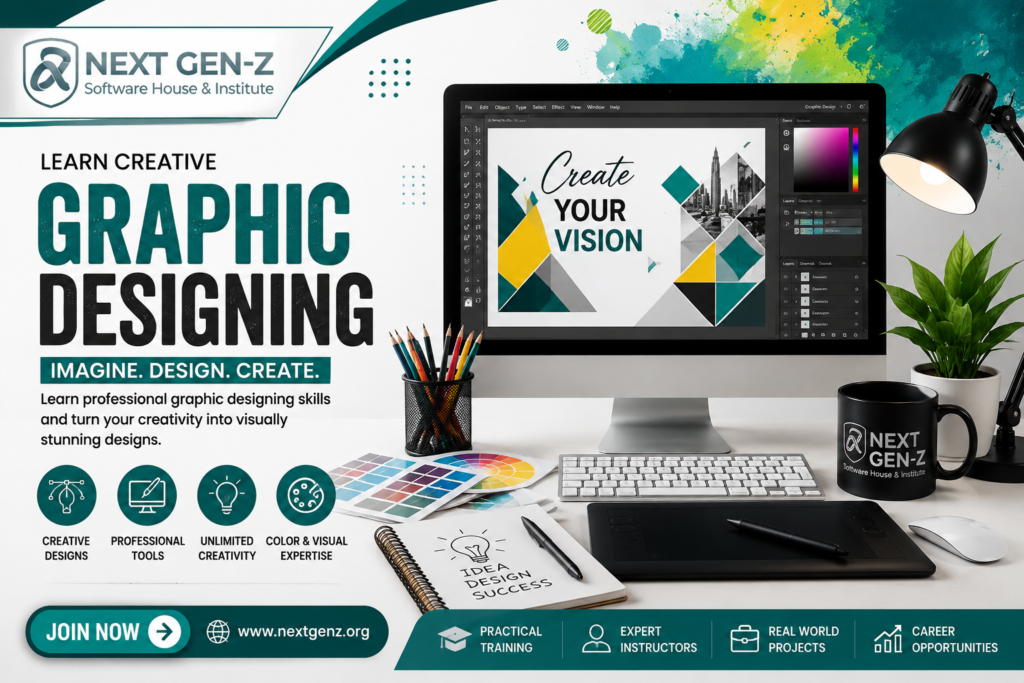
“From Ideas to Amazing Designs”
Discover how creativity, colors, typography, and visual elements come together to create impactful designs.
Start Your Graphic Designing Journey
Graphic designing is a creative skill that combines ideas, visuals, colors, and technology to create attractive designs. With the right guidance and regular practice, beginners can learn professional design techniques and turn their creativity into useful digital skills.
You can also add this short line below it:
“Learn. Create. Design. Turn your ideas into creative visuals.”
Create Your Vision with Graphic Designing
Learn, practice, and develop the creative skills needed for today’s digital world.
Explore the World of Graphic Designing
Learn about graphic design tools, creative techniques, visual communication, and career opportunities for aspiring designers.
Imagine It. Design It. Create
Where Creativity Meets Technology
Learn how modern design tools and creative ideas work together to produce professional visuals.
Frequently Asked Questions About Graphic Designing
1. What is Graphic Designing?
Graphic designing is the process of creating visual content using elements such as images, colors, typography, shapes, and layouts to communicate ideas.
2. Why is Graphic Designing Important?
Graphic designing helps businesses and individuals communicate their ideas clearly through attractive and professional visual content.
3. Is Graphic Designing a Good Skill to Learn?
Yes, graphic designing is a useful digital skill for students, content creators, businesses, and people interested in creative careers.
4. What Tools Are Used for Graphic Designing?
Popular graphic design tools include Adobe Photoshop, Adobe Illustrator, Canva, and CorelDRAW.
5. Can Beginners Learn Graphic Designing?
Yes. Beginners can start with basic design principles and gradually learn different tools and techniques through regular practice.
6. What Skills Are Needed for Graphic Designing?
Important skills include creativity, typography, color selection, layout design, visual communication, and knowledge of design software.
7. Where Can Graphic Designing Be Used?
Graphic design is used for logos, social media posts, websites, advertisements, brochures, posters, packaging, presentations, and branding.
8. Can Graphic Designers Work as Freelancers?
Yes, graphic designers can work on creative projects for different clients and build a portfolio to showcase their skills.
9. How Long Does It Take to Learn Graphic Designing?
The learning time depends on your practice and the level of skills you want to develop. Basic concepts can be learned gradually through consistent practice.
10. How Can I Improve My Graphic Designing Skills?
Practice regularly, study good designs, experiment with different layouts, learn design software, and create your own projects to build experience.
Final Thoughts
Graphic designing is a valuable digital skill that combines creativity, technology, and visual communication. It can be applied across various fields, including marketing, branding, social media, education, and digital media.
With proper guidance, consistent practice, and knowledge of modern design tools, beginners can develop their abilities and create professional-quality designs. Learning graphic designing can also help individuals build a strong portfolio and explore diverse opportunities in the creative industry.
Start learning, keep practicing, and continue developing your creative skills.
Start Your Graphic Designing Journey
Graphic designing is a skill that grows with creativity, practice, and continuous learning. Whether you are a student, beginner, content creator, or aspiring designer, learning design can help you express ideas in a more professional and engaging way.
Keep learning, keep creating, and let your creativity make an impact.
Quick Graphic Designing Tips
- Keep designs simple and clear.
- Choose colors carefully.
- Use readable fonts.
- Maintain proper spacing.
- Avoid adding too many elements.
- Practice different design styles.
- Build a portfolio with your best work.
Graphic Design Principles
A successful design follows a few basic principles that help make visual content clear and attractive.
- Balance: Arrange elements properly so the design feels organized.
- Contrast: Use differences in colors, sizes, or fonts to highlight important information.
- Alignment: Keep elements properly aligned for a clean appearance.
- Consistency: Maintain similar colors, fonts, and styles throughout the design.
- Hierarchy: Make important information stand out through size, position, or typography.
Graphic Designing in Everyday Life
Graphic design is part of our daily digital experience. We see it in websites, mobile applications, social media posts, advertisements, product packaging, posters, logos, and presentations.
Understanding basic graphic design principles can help people create clearer and more visually appealing content.
Final Tip for Beginners
Start simple and improve gradually. You don’t need to master every design tool at once. Focus on basic principles, practice regularly, and create different projects. Over time, your creativity, confidence, and technical skills will improve.
Difference Between Graphic Design and Digital Design
Graphic design focuses on creating visual content such as logos, posters, brochures, advertisements, and social media graphics. Digital design is a broader area that can include websites, mobile interfaces, digital advertisements, and interactive content.
Both fields use creativity, typography, colors, images, and layouts to communicate ideas effectively.
Important Qualities of a Graphic Designer
A successful graphic designer can develop several qualities through learning and practice:
- Creativity and imagination
- Attention to detail
- Good understanding of colors
- Knowledge of typography
- Problem-solving ability
- Communication skills
- Willingness to learn
- Ability to work with design tools
Graphic Design for Branding
Graphic design plays an important role in creating a brand’s visual identity. Logos, color schemes, typography, social media graphics, packaging, and promotional materials can all contribute to how people recognize a brand.
A consistent visual style helps a business present itself professionally across different platforms.
One More Short Section
Keep Learning and Exploring
The world of graphic design continues to develop with new tools, trends, and technologies. Designers can improve by exploring new techniques, practicing different styles, and keeping their knowledge updated.
Creativity grows with practice, so keep designing and experimenting with new ideas.
Graphic Designing for Social Media
Social media has created many opportunities for graphic designers. Businesses and content creators need attractive visuals to communicate with their audience and promote their content.
Graphic designers can create:
- Social media posts
- Banners and advertisements
- YouTube thumbnails
- Instagram graphics
- Promotional designs
- Event posters
- Brand content
How Graphic Design Helps Businesses
Professional design can help a business present its products and services in a clear and consistent way. From a business logo to social media posts, visual design can support brand recognition and communication.
A well-organized design should be clear, relevant, visually appealing, and easy to understand.
Graphic Designing and Creativity
Creativity is at the heart of graphic designing. Designers use their imagination to combine colors, fonts, images, shapes, and layouts into meaningful visual content.
The more you practice different design ideas, the more confident you can become in developing your own creative style.
Quick Tip
Don’t copy every trend—learn the principles behind good design and develop your own creative approach.
Career Opportunities in Graphic Designing
Graphic designing can lead to different creative and digital career paths. As businesses increasingly use digital platforms, visual content has become an important part of communication and marketing.
Some career options include:
- Graphic Designer
- Logo Designer
- Brand Identity Designer
- Social Media Designer
- UI Designer
- Packaging Designer
- Advertising Designer
- Freelance Graphic Designer
- Visual Content Creator
Building a Strong Design Portfolio
A portfolio is an important part of a graphic designer’s professional journey. It allows you to showcase your best projects and demonstrate your creativity and technical abilities.
A beginner can include different types of work, such as logos, posters, social media designs, banners, thumbnails, and branding projects. Keep the portfolio organized and focus on showing your strongest work.
The Importance of Continuous Learning
Graphic design is constantly evolving with new software, techniques, and digital trends. Continuous learning helps designers improve their skills and stay familiar with modern design practices.
Learn new techniques, practice consistently, and keep building your creative portfolio.
Elements of Effective Graphic Design
A strong graphic design is made by combining different visual elements in a balanced way. Understanding these elements helps beginners create designs that look organized and professional.
Color
Colors can create different moods and help highlight important parts of a design.
Typography
Fonts should be easy to read and suitable for the purpose of the design.
Images
High-quality images can make a design more attractive and help communicate the main idea.
Shapes and Lines
Shapes and lines can organize information, create visual interest, and guide the viewer’s attention.
Layout
A good layout keeps all design elements properly arranged and makes the content easy to understand.
Why Practice Matters in Graphic Designing
Practice is an important part of becoming a better designer. Creating different projects allows beginners to experiment with layouts, colors, typography, and design tools.
Start with simple designs and gradually move toward more challenging projects. Reviewing your previous work can also help you identify areas where you can improve.
Remember: good design develops through learning, creativity, and consistent practice.
Common Uses of Graphic Designing
Graphic designing is used in many areas of modern communication. It helps individuals and organizations present information in a visually appealing and understandable way.
Some common uses include:
- Logo Design — Creating a visual identity for a brand.
- Poster Design — Promoting events, campaigns, or announcements.
- Social Media Design — Creating engaging posts and promotional graphics.
- Website Graphics — Designing banners, icons, and other visual elements.
- Packaging Design — Creating attractive product packaging.
- Presentation Design — Making presentations more organized and visually appealing.
- Advertising Design — Creating graphics for digital and traditional advertisements.
How to Develop Your Own Design Style
Developing a personal design style takes time and experimentation. Start by exploring different layouts, typography combinations, color palettes, and visual approaches.
Study different design examples, practice regularly, and notice which techniques work best for your projects. Over time, you can develop a style that reflects your creativity while still meeting the needs of each project.
Keep experimenting, stay curious, and let every project teach you something new.
Graphic Designing for Beginners
If you are new to graphic designing, start by understanding the basic principles of design before moving toward advanced techniques. Learning step by step makes it easier to understand professional design concepts.
Begin with simple projects such as posters, social media posts, logos, and banners. As you gain experience, you can explore more advanced areas such as branding, UI design, and digital marketing graphics.
Best Practices for Graphic Designers
Following good design practices can improve the quality and clarity of your work.
- Understand the purpose of every design.
- Keep the layout clean and organized.
- Use fonts that are easy to read.
- Maintain consistency throughout the design.
- Choose colors that match the message.
- Use high-quality visual elements.
- Leave enough space between different elements.
- Review the design before publishing it.
Graphic Design and Digital Marketing
Graphic design and digital marketing often work together. Businesses use visual content to attract attention, promote products, share information, and communicate with their audience.
Creative graphics can be used in social media campaigns, online advertisements, email marketing, websites, and promotional materials. Learning both design and basic marketing concepts can help beginners create more purposeful digital content.
Graphic Design Trends
Graphic design continues to evolve as technology and digital platforms change. Modern designers often explore new layouts, typography styles, color combinations, illustrations, and visual effects to create fresh and engaging content.
Some popular areas designers can explore include:
- Minimalist design
- Modern typography
- Digital illustrations
- 3D graphics
- Motion graphics
- Creative branding
- Interactive digital visuals
Graphic Designing for Education
Graphic design can also make educational content more attractive and easier to understand. Teachers, students, and educational institutes can use visual presentations, infographics, posters, diagrams, and social media graphics to communicate information effectively.
Clear visual design can help organize information and make learning materials more engaging.
Final Reminder for Beginners
You do not need to become an expert immediately. Start with basic concepts, learn one design tool at a time, and practice by creating your own projects.
Learn the basics → Practice regularly → Create projects → Build your portfolio → Keep improving.
Graphic Designing and Branding
Graphic designing plays an important role in building a strong brand identity. A consistent combination of colors, fonts, logos, images, and layouts helps a brand maintain a recognizable visual style.
Designers may create different branding materials, including:
- Logos
- Business cards
- Social media graphics
- Posters and brochures
- Website banners
- Product packaging
- Promotional materials
Graphic Designing and Communication
Good graphic design is not only about making something look attractive. It also helps communicate information quickly and clearly.
A well-designed visual can guide the viewer’s attention, highlight important information, and make a message easier to understand. This is why graphic design is widely used in business, education, marketing, and digital media.
A Simple Design Rule
Keep your message clear, your layout organized, and your visuals purposeful.
Iske baad Conclusion laga do. Ab blog ko aur unnecessary lamba karne ki zaroorat nahi hai.