
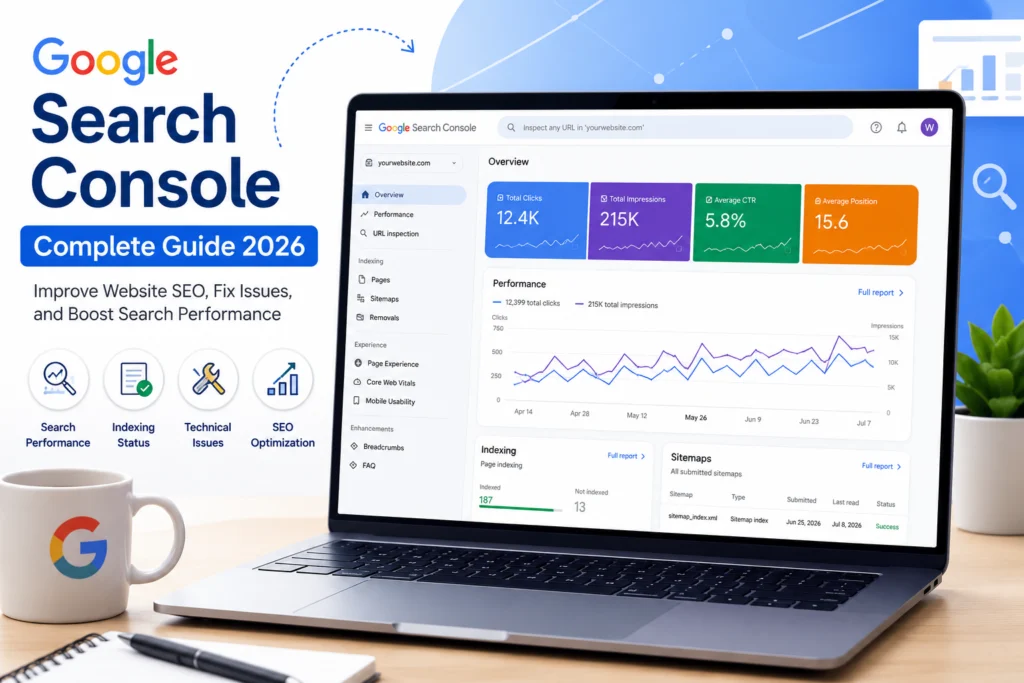
Google Search Console: The Complete Beginner’s Guide to Improve Your Website SEO in 2026
Introduction
Building a website is only the first step toward establishing an online presence. The real challenge begins when you want people to discover your content through search engines. Every day, millions of users search Google for answers, products, services, and information. If your website is not appearing in those search results, you may lose valuable traffic, potential customers, and business opportunities.
This is where Google Search Console (GSC) becomes one of the most valuable tools for website owners. Whether you manage a personal blog, a business website, an online store, or a news portal, Google Search Console helps you understand how Google sees your website and what improvements are needed to achieve better visibility.
Unlike many paid SEO platforms, Google Search Console is completely free and provides data directly from Google. Instead of relying on estimates, you receive accurate information about indexing, search performance, website errors, mobile usability, Core Web Vitals, backlinks, and much more.
Many beginners believe that publishing quality content is enough to rank on Google. While high-quality content is important, Google also needs to crawl, index, and understand your pages correctly. Even an excellent article may never appear in search results if Google cannot index it properly. Google Search Console helps identify these issues before they affect your website’s performance.
If you want to improve your search rankings, increase organic traffic, monitor technical SEO, and make informed decisions based on real data, learning Google Search Console should be one of your top priorities.
What Is Google Search Console?
Google Search Console is a free website management and SEO monitoring tool developed by Google. It allows website owners, bloggers, SEO professionals, developers, and digital marketers to monitor their website’s presence in Google Search.
Instead of guessing how your website performs, Google Search Console provides real statistics collected directly from Google’s search database.
Using this tool, you can:
- Monitor your website’s search performance.
- Find the keywords users search before visiting your website.
- Check whether your pages are indexed.
- Submit XML sitemaps.
- Request indexing for newly published pages.
- Detect crawl errors.
- Improve mobile usability.
- Monitor Core Web Vitals.
- Discover backlink information.
- Receive alerts about security issues and manual penalties.
One of the biggest advantages of Google Search Console is that it allows you to identify SEO problems before they become serious. Fixing these issues early can significantly improve your website’s visibility in Google Search.
Why Every Website Needs Google Search Console
Regardless of whether you own a small blog or a large e-commerce website, Google Search Console plays an important role in long-term SEO success.
Imagine publishing dozens of blog posts without knowing whether Google has indexed them. You might spend hours writing valuable content, but if search engines cannot find it, your efforts may not produce results.
Google Search Console solves this problem by showing the indexing status of every page.
It also answers important questions such as:
- Which pages receive the highest traffic?
- Which keywords bring visitors?
- Which pages have indexing problems?
- Which devices people use to visit your website?
- Which countries generate the most traffic?
- Are there mobile usability issues?
- Is Google experiencing crawl errors?
Instead of making assumptions, you make SEO decisions based on accurate data.
Key Benefits of Google Search Console
Google Search Console offers many advantages that directly contribute to better SEO performance.
Improve Website Visibility
Google Search Console helps ensure that your pages appear in Google Search. When pages are missing from search results, the tool explains the reason and suggests what needs to be fixed.
Monitor Keyword Performance
The Performance Report shows the search queries people use to find your website. This information helps you create more relevant content and improve existing pages.
Faster Indexing
Whenever you publish a new article, you can request indexing through the URL Inspection Tool. This helps Google discover your content more quickly.
Fix Technical SEO Issues
Google Search Console identifies problems such as:
- Broken pages
- Crawl errors
- Redirect issues
- Server errors
- Duplicate pages
- Mobile usability problems
Fixing these issues improves both user experience and search rankings.
Enhance User Experience
Google now considers user experience an important ranking factor. Reports such as Core Web Vitals help improve loading speed, stability, and responsiveness.
Features That Make Google Search Console Essential
Google Search Console contains several powerful reports designed to help website owners understand every aspect of their SEO performance.
Some of its most useful features include:
- Performance Report
- URL Inspection Tool
- Indexing Report
- XML Sitemap Submission
- Page Experience Reports
- Core Web Vitals
- Mobile Usability
- Security Issues
- Manual Actions
- Links Report
Each report focuses on a specific aspect of website optimization, making it easier to identify problems and improve overall performance.
How Google Search Console Works
Google Search Console communicates directly with Google’s search systems.
Whenever Google’s bots crawl your website, information about crawling, indexing, search rankings, and technical issues is stored inside Search Console.
After verifying ownership of your website, you gain access to this information through an easy-to-use dashboard.
This allows you to:
- Monitor your website’s health.
- Identify SEO opportunities.
- Fix indexing errors.
- Improve technical performance.
- Increase organic traffic through data-driven decisions.
Instead of relying on guesswork, Google Search Console provides measurable insights that help you grow your website over time.
Google Search Console vs Google Analytics
Many beginners confuse Google Search Console with Google Analytics. Although both tools are free, they serve different purposes.
Google Search Console focuses on how your website performs in Google Search. It tells you which keywords bring traffic, whether your pages are indexed, and if Google has detected any technical issues.
Google Analytics focuses on what visitors do after they arrive on your website. It measures user behavior, page views, session duration, bounce rate, conversions, and traffic sources.
For the best SEO strategy, both tools should be used together because they provide different but complementary insights. Setting Up Google Search Console and Understanding Its Most Important Features
How to Create a Google Search Console Account?
Getting started with Google Search Console is simple, and it only takes a few minutes. Before you begin, make sure you have a Google account and access to your website.
Step 1: Sign In
Visit the official Google Search Console website and sign in using your Google account.
Once you log in, you will be asked to add a new property.
Step 2: Add Your Website
Google Search Console provides two options:
1. Domain Property
This option tracks every version of your website, including:
- https://yourwebsite.com
- http://yourwebsite.com
- www.yourwebsite.com
- Non-www versions
- All subdomains
It gives a complete overview of your website’s performance and is the recommended option for most users.
2. URL Prefix Property
This option tracks only the exact URL you enter.
For example, if you add:
it will not automatically include:
Choose this option if you only want to monitor a specific version of your website.
Step 3: Verify Website Ownership
Google needs to confirm that you own the website before displaying any data.
There are several verification methods available.
DNS Record Verification
This is Google’s recommended method.
You simply copy the TXT record provided by Google and add it to your domain’s DNS settings.
After saving the DNS record, click Verify.
Although DNS changes may take some time to update, this method provides the most complete verification.
HTML File Upload
If your hosting account allows file uploads, download the HTML verification file from Google and upload it to the root directory of your website.
Once uploaded, click Verify in Search Console.
HTML Tag Verification
Another simple method is adding the verification meta tag inside the <head> section of your homepage.
This method works well for WordPress websites using SEO plugins.
Google Analytics Verification
If Google Analytics is already installed on your website using the same Google account, Search Console may verify your ownership automatically.
Google Tag Manager Verification
If your website uses Google Tag Manager, verification can also be completed through your existing container.
Which Verification Method Is Best?
For beginners, DNS verification is usually the best option because it verifies your entire domain.
However, WordPress users often find HTML Tag verification easier since plugins like Rank Math or Yoast SEO allow you to add the verification code without editing website files.
How to Submit Your XML Sitemap?
Submitting an XML sitemap is one of the first tasks you should complete after verifying your website.
A sitemap helps Google discover your important pages more efficiently.
Although Google can find pages through internal links, a sitemap speeds up the crawling and indexing process.
Finding Your Sitemap
Most WordPress SEO plugins automatically generate a sitemap.
It is usually available at:
- yourwebsite.com/sitemap.xml
or
- yourwebsite.com/sitemap_index.xml
Steps to Submit a Sitemap
- Open Google Search Console.
- Select your website.
- Click Sitemaps from the left menu.
- Enter your sitemap URL.
- Click Submit.
Google will process the sitemap and begin crawling the listed pages.
Remember that submitting a sitemap does not guarantee instant indexing, but it significantly helps Google discover new and updated content.
Understanding the URL Inspection Tool
The URL Inspection Tool is one of the most powerful features in Google Search Console.
It allows you to check the indexing status of any page on your website.
Simply paste your page URL into the search bar at the top of Search Console.
Google will then display detailed information about that page.
Information You Can See
The URL Inspection Tool shows:
- Whether the page is indexed
- The last crawl date
- Mobile usability status
- Canonical URL
- Crawl status
- Structured data information
- Page availability
If a page is not indexed, Google usually explains why.
Request Indexing
Whenever you publish a new blog post or update an existing article, you can click Request Indexing.
Google will add the page to its crawling queue.
Although indexing time varies, requesting indexing often helps Google discover important updates more quickly.
Understanding the Performance Report
The Performance Report is one of the most valuable sections of Google Search Console.
It provides detailed insights into how your website performs in Google Search.
Instead of guessing which pages are successful, you can see real search data collected by Google.
Total Clicks
This metric shows how many times users clicked your website from Google Search results.
A growing number of clicks usually indicates that your SEO strategy is improving.
Total Impressions
Impressions represent the number of times your pages appeared in Google Search results.
Even if users do not click your website, impressions indicate that Google is showing your content for relevant searches.
Average Click-Through Rate (CTR)
CTR measures the percentage of people who clicked your page after seeing it in search results.
For example:
- 1,000 impressions
- 100 clicks
CTR = 10%
A higher CTR often means your page title and meta description are attractive and relevant.
Average Position
Average Position estimates where your page appears in Google Search.
For example:
- Position 1 = First result
- Position 5 = Fifth result
- Position 15 = Second page
Improving rankings generally increases visibility and organic traffic.
Using Search Queries to Improve SEO
One of the most useful reports inside Google Search Console is the Queries report.
It reveals the exact words and phrases people type into Google before visiting your website.
This information can help you:
- Discover
Understanding the Indexing Report
One of the most valuable sections in Google Search Console is the Indexing Report. This report shows which pages Google has successfully added to its search index and which pages have problems that prevent them from appearing in search results.
Open Indexing → Pages to view the report.
You will usually see categories such as:
- Indexed pages
- Crawled but not indexed
- Discovered but not indexed
- Page with redirect
- Not found (404)
- Duplicate pages
- Blocked by robots.txt
Understanding these categories helps you identify technical SEO issues before they affect your rankings.
Indexed Pages
These pages have been successfully crawled and added to Google’s index. They are eligible to appear in search results.
Crawled – Currently Not Indexed
Google visited the page but decided not to include it in the index.
Possible reasons include:
- Thin or low-quality content
- Duplicate information
- Weak internal linking
- Low overall page value
Improve the content, add unique information, strengthen internal links, and request indexing again.
Discovered – Currently Not Indexed
Google knows the page exists but has not crawled it yet.
This may happen because:
- Your website is new.
- Crawl budget is limited.
- Too many pages were published at once.
Publishing quality content consistently and maintaining a clear site structure usually helps.
Fixing Common Indexing Problems
1. 404 Errors
A 404 error means Google tried to visit a page that no longer exists.
You can solve this by:
- Redirecting the old URL to a relevant page.
- Restoring the missing page if it should still exist.
- Updating internal links pointing to the broken page.
2. Soft 404 Errors
A Soft 404 occurs when a page appears empty or provides very little useful information.
To fix this:
- Add valuable, original content.
- Remove unnecessary empty pages.
- Ensure each page serves a clear purpose.
3. Duplicate Pages
Duplicate content can confuse search engines.
Avoid creating multiple pages targeting exactly the same topic. If duplicate pages are necessary, use canonical tags to indicate the preferred version.
4. Blocked by robots.txt
Sometimes important pages are accidentally blocked through the robots.txt file.
Check your robots.txt settings and make sure essential pages are accessible to Google.
Core Web Vitals
Google uses Core Web Vitals as part of its evaluation of page experience.
These metrics measure how quickly and smoothly users can interact with your website.
The three main metrics are:
Largest Contentful Paint (LCP)
Measures how quickly the main content becomes visible.
A good LCP score is under 2.5 seconds.
Interaction to Next Paint (INP)
Measures how responsive your website is when users click or type.
Lower values indicate a better user experience.
Cumulative Layout Shift (CLS)
Measures unexpected layout movement while a page loads.
A CLS score below 0.1 is considered good.
Improving these metrics can increase visitor satisfaction and support better search performance.
Mobile Usability
Most Google searches now come from mobile devices.
If your website does not work well on smartphones or tablets, visitors may leave quickly, which can negatively affect SEO.
Google Search Console helps identify issues such as:
- Text that is too small
- Clickable elements placed too close together
- Content wider than the screen
- Viewport configuration problems
A responsive website provides a better experience for both users and search engines.
Security Issues Report
Google regularly checks websites for security threats.
Expert Tips, Common Mistakes, FAQs & Conclusion
Expert Tips
- Check the Performance Report regularly to monitor your top-performing pages.
- Submit an updated XML Sitemap after publishing new content.
- Use the URL Inspection Tool to request indexing for new or updated pages.
- Improve Core Web Vitals by increasing page speed and responsiveness.
- Optimize page titles and meta descriptions to improve CTR.
- Add internal links to help Google crawl your website more effectively.
- Update old blog posts with fresh and relevant information.
- Fix crawl errors and broken links as soon as they appear.
Common Mistakes to Avoid
- Ignoring indexing errors.
- Publishing content without submitting a sitemap.
- Using duplicate titles and meta descriptions.
- Not optimizing the website for mobile devices.
- Ignoring website speed and Core Web Vitals.
- Creating thin or duplicate content.
- Never checking Google Search Console reports.
- Overusing keywords (keyword stuffing).
Frequently Asked Questions (FAQs)
1. What is Google Search Console?
Google Search Console is a free tool by Google that helps website owners monitor search performance, fix indexing issues, and improve SEO.
2. Is Google Search Console free?
Yes, it is completely free for bloggers, businesses, and website owners.
3. How often should I check Google Search Console?
It is recommended to check it at least once a week to monitor your website’s performance and resolve any issues.
4. Can Google Search Console improve SEO?
It does not directly improve rankings, but it helps identify and fix SEO problems that can increase your website’s visibility.
5. What is the difference between Google Search Console and Google Analytics?
Google Search Console tracks your website’s performance in Google Search, while Google Analytics measures visitor behavior after they land on your website.
Conclusion
Google Search Console is an essential SEO tool for anyone who wants to improve their website’s visibility in Google Search. It provides valuable insights into search performance, indexing, technical SEO, and user experience. By regularly monitoring your website, fixing technical issues, and optimizing your content based on Search Console data, you can achieve better rankings, attract more organic traffic, and build a stronger online presence. Whether you are a beginner or an experienced website owner, using Google Search Console consistently will help you make smarter SEO decisions and support long-term website growth.