
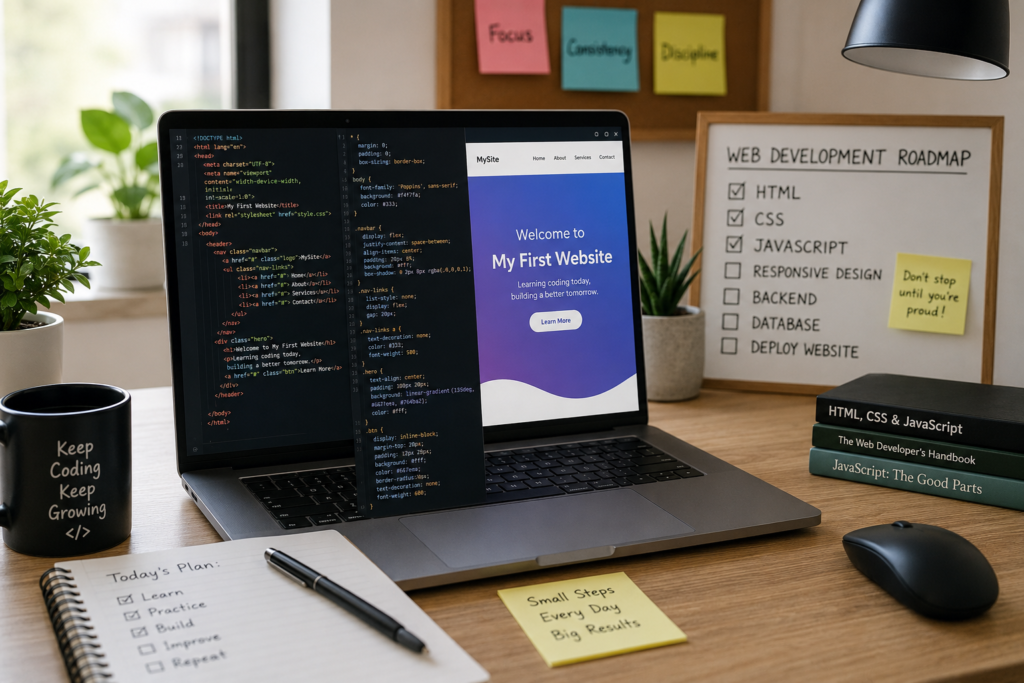
How to Create Your First Website with Coding?
Introduction
Have you ever opened a website and wondered, “How did someone build this?” At first, website development can look complicated because every page seems perfectly designed and full of interactive features. The truth, however, is much simpler. Every website—whether it’s a personal blog, an online store, or a business portfolio—starts with a few basic files and some simple code.
Learning to build a website is one of the most rewarding skills you can develop today. It doesn’t matter if you’re a student, a teacher, a freelancer, or someone who simply enjoys learning new things. Website development gives you the ability to turn your ideas into something people around the world can see and use.
The best part is that you don’t need expensive software or advanced technical knowledge to begin. A computer, a free code editor, and the willingness to practice are enough to create your very first website.
This guide is written especially for beginners. Instead of filling the article with difficult technical terms, we’ll focus on understanding the process in a simple and practical way. By the end, you’ll know what tools you need, how websites are created, and how you can start building your own projects with confidence.
Why Should You Learn Website ?
In today’s digital world, websites are everywhere. Businesses use them to reach customers, schools share information online, and individuals create websites to showcase their work or hobbies. Behind each of these websites is code that tells the browser what to display and how everything should work.
Learning website coding isn’t just about becoming a developer. It helps you think logically, solve problems, and create something from scratch. It’s a skill that combines creativity with technology.
Here are a few reasons why learning to code is worth your time:
- You can create a website exactly the way you imagine.
- You won’t have to rely completely on website builders.
- Coding skills are valuable for freelance work and full-time jobs.
- You can build personal projects, portfolios, or websites for small businesses.
- Understanding how websites work makes it easier to learn advanced technologies in the future.
Every experienced developer started as a beginner. The difference is that they kept learning, practicing, and improving with each project.
What Do You Need Before You Start?
Many beginners think they need powerful computers or expensive software to learn coding. Fortunately, that’s not true.
To build your first website, you’ll only need a few basic things.
A Computer
Any modern desktop or laptop running Windows, macros, or Linux will work perfectly.
A Code Editor
A code editor is where you’ll write your website’s code. Visual Studio Code (VS Code) is one of the most popular options because it’s free, easy to use, and packed with useful features for beginners.
A Web Browser
Your browser allows you to see the results of your work. Google Chrome, Microsoft Edge, Firefox, or Safari are all suitable choices.
A Positive Mindset
Coding can sometimes feel challenging, especially when you encounter errors. Don’t let small mistakes discourage you. Every error teaches you something new, and solving problems is an important part of becoming a web developer.
Understanding the Three Main Technologies
Every modern website is built using three core technologies. Once you understand their purpose, learning web development becomes much easier.
HTML – Building the Structure
HTML is responsible for creating the structure of a webpage. It tells the browser where to place headings, paragraphs, images, buttons, and other elements.
Think of HTML as the frame of a building. Without it, there would be nothing to decorate or interact with.
CSS – Improving the Appearance
After creating the structure, CSS is used to make the webpage attractive.
With CSS, you can change colors, fonts, spacing, layouts, and even create animations.
Without CSS, websites would display only plain text with almost no visual design.
JavaScript – Making the Website Interactive
JavaScript adds functionality to your website.
Whenever you click a button, open a menu, submit a form, or see a popup message, JavaScript is usually working behind the scenes.
Although beginners sometimes find JavaScript challenging, learning it step by step makes the process much easier.
Your Learning Journey Starts Here
The first website you build won’t be perfect, and that’s completely okay. What matters is that you take the first step.
Every successful developer has made mistakes, fixed bugs, and rewritten code countless times. Progress comes from practice, not perfection.
Instead of comparing yourself to experienced programmers, focus on improving little by little. Build one webpage, learn one new concept, and celebrate every milestone along the way.
Remember, the website you create today could be the foundation for much bigger projects in the future.
Building Your First Web Page
Now that you know the basic technologies behind a website, it’s time to create something real. This is the stage where many beginners feel nervous, but there’s no need to worry. Every professional developer once opened an empty folder and wondered where to begin.
The secret is to take one small step at a time.
Start with a New Project Folder
Before writing any code, create a folder on your computer. Give it a simple name such as My First Website. This folder will contain everything related to your project.
Inside the folder, create three files:
- index.html
- style.css
- script.js
You can also make another folder named images to keep your pictures organized. Developing this habit from the beginning will make future projects much easier to manage.
Open Your Project in Visual Studio Code
Once your files are ready, open the project folder in Visual Studio Code.
At first glance, the editor might look confusing. There are different panels, buttons, and menus, but don’t let that discourage you. You don’t need to understand every feature on the first day.
For now, your focus should simply be on writing code and saving your files. As you continue practicing, you’ll naturally become familiar with the editor.
Create Your First Web Page
The index.html file is usually the homepage of a website. Whenever someone visits your website, this is the page their browser opens first.
Think of it like the front door of a house. It welcomes visitors and gives them their first impression.
A basic webpage usually contains:
- A page title
- A main heading
- A few paragraphs
- An image
- A navigation menu
- A button or link
Don’t try to add everything at once. Start with a clean and simple layout. You can always improve it latFreelancing & Client Huntinger.
Make Your Website Look Better
Once your webpage has content, the next step is to improve its appearance.
This is where CSS becomes useful.
Instead of leaving everything in plain black text on a white background, you can add colors, choose attractive fonts, adjust spacing, and create a layout that feels modern.
A common mistake beginners make is adding too many colors and effects. A simple design often looks more professional than one that is overloaded with decorations.
Choose two or three matching colors and use them consistently throughout your website.
Add Images Carefully
Images make a website more interesting, but they should also have a purpose.
For example:
- A portfolio website can include screenshots of your work.
- A travel blog can feature destination photos.
- A business website can display products or services.
- A personal website can include a professional profile picture.
Always use high-quality images that match your content. Blurry or unrelated pictures can reduce the overall quality of your website.
Learn by Making Small Changes
One of the best ways to improve your coding skills is through experimentation.
Try changing:
- The heading text
- The background color
- The font style
- The button color
- The image size
Every small change teaches you something new. Don’t worry if you make mistakes—most developers learn by testing different ideas until they find what works.
Save Your Work Frequently
Many beginners spend time writing code and then forget to save their files. After refreshing the browser, they wonder why nothing has changed.
Get into the habit of saving your work every few minutes. It’s a small action that can save a lot of frustration.
As your projects become larger, regular saving will also help you avoid losing important work.
Refresh Your Browser
Whenever you make changes to your website, refresh the browser to see the updated version.
This instant feedback is one of the most enjoyable parts of web development. Watching your ideas appear on the screen after every edit is both exciting and motivating.
Over time, you’ll become faster at spotting mistakes and improving your designs.
Don’t Be Afraid of Errors
Every beginner encounters coding errors.
Maybe an image doesn’t appear.
Maybe a color doesn’t change.
Maybe a button doesn’t work.
These situations are completely normal.
Instead of feeling discouraged, treat each error as a learning opportunity. Read the code carefully, look for small typing mistakes, and test your changes one step at a time.
Remember, even experienced developers spend a significant part of their day fixing bugs.
Practice Makes Progress
Reading tutorials is helpful, but real learning happens when you build something yourself.
Challenge yourself to create a simple personal homepage.
Include:
- Your name
- A short introduction
- Your hobbies
- A favorite picture
- A contact button
It doesn’t need to be perfect. The goal is simply to apply what you’ve learned.
Every website you create will make the next one easier.
Turning a Simple Web Page into a Real Website
You’ve reached one of the most exciting stages of your web development journey. Up to this point, you’ve learned how to organize your project, create a webpage, and improve its appearance. Now it’s time to add the features that make a website feel complete and enjoyable to use.
Remember, a good website isn’t the one with the most animations or the brightest colors. A good website is easy to navigate, loads quickly, and helps visitors find what they need without confusion.
Create a Clear Navigation Menu
Imagine visiting a website where every page feels disconnected. You wouldn’t know where to click next, and you’d probably leave within a few seconds.
This is exactly why navigation is so important.
A navigation menu acts like a road map for your visitors. It guides them to different sections of your website without making them search for information.
If you’re creating your first website, your menu doesn’t need to be complicated. A few simple links are enough, such as:
- Home
- About
- Services
- Projects
- Contact
Keep the menu clean and easy to read. Avoid adding too many options because a crowded navigation bar can confuse visitors.
One useful tip is to place the navigation menu at the top of every page. This makes it easy for users to move around your website at any time.
Write Content That Sounds Natural
Many beginners spend hours designing a beautiful website but forget about the content. In reality, people visit your website to read useful information, not just admire the design.
Instead of writing long, complicated paragraphs, imagine you’re talking to a real person.
For example, if you’re introducing yourself, don’t simply list your skills. Tell visitors who you are, what you’re learning, and why you’re passionate about web development.
Natural writing helps people connect with you and makes your website feel more welcoming.
Add Buttons That Encourage Action
Buttons are more than colorful boxes on a webpage. They guide visitors toward the next step.
Ask yourself:
What do I want my visitor to do?
Maybe you want them to:
- Read another article
- Contact you
- View your portfolio
- Download a document
- Learn more about your services
Your button text should clearly explain the action.
Instead of writing Click Here, try phrases like:
- View My Work
- Contact Me
- Start Learning
- Explore More
Simple and direct language usually works best.
Make Your Website Mobile-Friendly
Take a look around the next time you’re in a café, classroom, or office. Most people are browsing the internet on their phones.
That’s why your website should look good on both large and small screens.
A mobile-friendly website automatically adjusts its layout, images, and text to fit different devices.
This improves:
- User experience
- Readability
- Website accessibility
- Search engine rankings
Before publishing your website, always test it on a smartphone as well as a computer.
If something looks too large or too small, make adjustments until everything is comfortable to read.
Add Life to Your Website with JavaScript
Once your website looks good, you can make it interactive using JavaScript.
Think about the websites you visit every day.
When a menu opens after clicking a button…
When a message appears after submitting a form…
When an image slider moves automatically…
JavaScript is usually responsible for these actions.
As a beginner, you don’t need to build complicated features immediately.
Start with small projects such as:
- Displaying a welcome message
- Creating a dark mode switch
- Showing today’s date
- Making a button change color
- Building a simple calculator
Every small project teaches you a new programming concept.
Learn to Solve Problems
One lesson every developer discovers is that coding isn’t about writing perfect code.
It’s about solving problems.
Sometimes your webpage won’t display correctly.
Sometimes an image won’t appear.
Sometimes a button won’t respond.
Instead of feeling frustrated, slow down and check each part carefully.
Ask yourself questions like:
- Did I save the file?
- Is the file name correct?
- Is everything in the right folder?
- Did I make a typing mistake?
Developers spend just as much time fixing problems as they do writing code.
The ability to stay patient and think logically is one of the most valuable skills you can develop.
Keep Your Design Simple
When people first learn CSS, they often want to use every color, animation, and effect they’ve discovered.
Although experimenting is fun, simplicity almost always creates a better user experience.
A clean website should have:
- Easy-to-read fonts
- Enough spacing between sections
- Matching colors
- High-quality images
- Clear headings
Remember, visitors should focus on your content—not struggle to understand your design.
Build Small Projects Regularly
Reading articles and watching tutorials are helpful, but they can’t replace hands-on practice.
Challenge yourself to build different types of websites.
For example:
- A personal profile page
- A recipe website
- A travel blog
- A photography gallery
- A local business homepage
- A school project website
Each project introduces new challenges and helps you improve your coding skills.
Don’t compare your work to professional websites. Compare today’s project with the one you created last week. That’s the best way to measure your progress.
Confidence Comes with Practice
Every experienced web developer has one thing in common—they kept practicing even when things didn’t go as planned.
There will be days when your code works perfectly and days when you spend an hour searching for a missing semicolon or a spelling mistake. That’s completely normal.
The important thing is to keep moving forward.
Celebrate small achievements, learn from every mistake, and enjoy the process of creating something with your own hands.
One day, you’ll look back at your first website and smile—not because it was perfect, but because it marked the beginning of your journey.
Launch Your Website and Keep Improving
Reaching this stage is something you should be proud of. A few days ago, creating a website may have seemed like a difficult task, but now you understand the basic process behind it. You have learned how a webpage is structured, how it is styled, and how it becomes interactive. More importantly, you’ve taken the first step toward becoming a web developer.
Your first website may not look like the websites built by large companies, and that’s completely okay. Every skilled developer started with a simple project before moving on to bigger challenges.
Publish Your Website
Once your website is ready, the next step is to share it with others. Keeping it on your computer means only you can see it. Publishing it online allows friends, teachers, clients, or potential employers to visit your work from anywhere in the world.
The good news is that you don’t need to spend money to publish your first project. Several platforms offer free hosting for beginners. These services are easy to use and are perfect for practicing your web development skills.
Publishing your website also gives you the confidence to improve it over time because you’ll be working on a real project instead of just a practice file.
Register a Domain Name
A domain name is your website’s online address. It’s the name people type into their browser to visit your website.
Choose a domain name that is:
- Short and easy to remember
- Easy to spell
- Related to your content or personal brand
- Professional and meaningful
If you’re building a personal portfolio, using your own name is often a great choice. If you’re creating a business website, choose a name that reflects your products or services.
Remember, your domain name creates the first impression before anyone even opens your website.
Keep Learning New Skills
Creating your first website is only the beginning of your web development journey.
Technology changes quickly, and there’s always something new to learn. Instead of trying to master everything at once, focus on improving one skill at a time.
After becoming comfortable with HTML, CSS, and JavaScript, you can explore:
- Responsive Web Design
- Bootstrap
- Get and GitHub
- React
- Node.js
- PHP
- Python
- SQL Databases
Each new skill will help you build more advanced websites and prepare you for real-world projects.
Common Mistakes When You Create Your First Website with Coding
Learning from mistakes is part of becoming a developer. Here are a few common mistakes that many beginners make:
Trying to Learn Everything Together
It’s exciting to explore different programming languages, but jumping between topics too quickly can slow your progress. Focus on mastering the basics before moving to advanced technologies.
Ignoring File Organization
Keeping your files organized makes it much easier to manage your project. Use separate folders for images, styles, and scripts to avoid confusion later.
Forgetting to Test Your Website
Always check your website in different browsers and on different screen sizes. Something that looks perfect on your computer may not look the same on a mobile phone.
Giving Up After Errors
Coding errors are normal. Every developer spends time fixing bugs. Instead of getting frustrated, treat each mistake as a learning opportunity.
Tips for Becoming a Better Web Developer
There is no secret shortcut to becoming a skilled developer, but a few simple habits can make a big difference.
- Practice coding every week, even if it’s only for a short time.
- Build small projects instead of only watching tutorials.
- Read other developers’ code to learn different approaches.
- Stay curious and continue learning new technologies.
- Don’t be afraid to ask questions or join online developer communities.
Consistent practice is far more valuable than trying to learn everything in a single weekend.
Conclusion
Creating your first website with coding is an exciting achievement that marks the beginning of your web development journey. While the process may seem challenging at first, each small step helps you build confidence and improve your skills. By learning HTML, CSS, and JavaScript, you’ve gained the knowledge needed to create simple yet functional websites.
Remember that every successful developer once started exactly where you are today. They learned through practice, made mistakes, solved problems, and continued improving with every project they built.
Don’t wait for the perfect moment or the perfect idea. Start coding, keep experimenting, and enjoy the learning process. Every new project will teach you something valuable and bring you closer to becoming a skilled web developer.
Your first website isn’t the finish line—it’s the foundation for everything you’ll create in the future.